
How it works
Five quiet steps from guessing to knowing.
Every step exists to take away a feeling you know too well. Here is each one, in the real app.
The way it works today
One gift. Five apps. None of them talk to each other.
When everyone invents a workaround, the need is real. We didn't ask anyone to change how they gift. We gave what you already do a proper home.
Save what you love, from anywhere.
Paste a link, or tap Share on Amazon, Nykaa, Instagram, Blinkit or any other store and send it to MyCelestials. We pull in the photo, name and price, and you choose which list it belongs to, or none at all. Think of it as one shopping list for everything you love and need, from every store.
Takes away: 23 screenshots, 9 tabs and the thing you forgot you wanted.
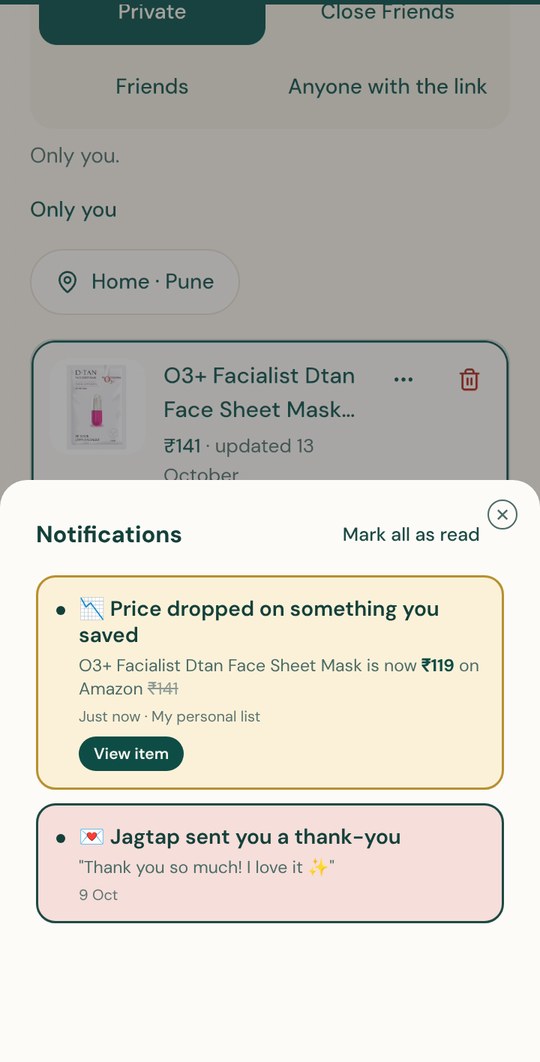
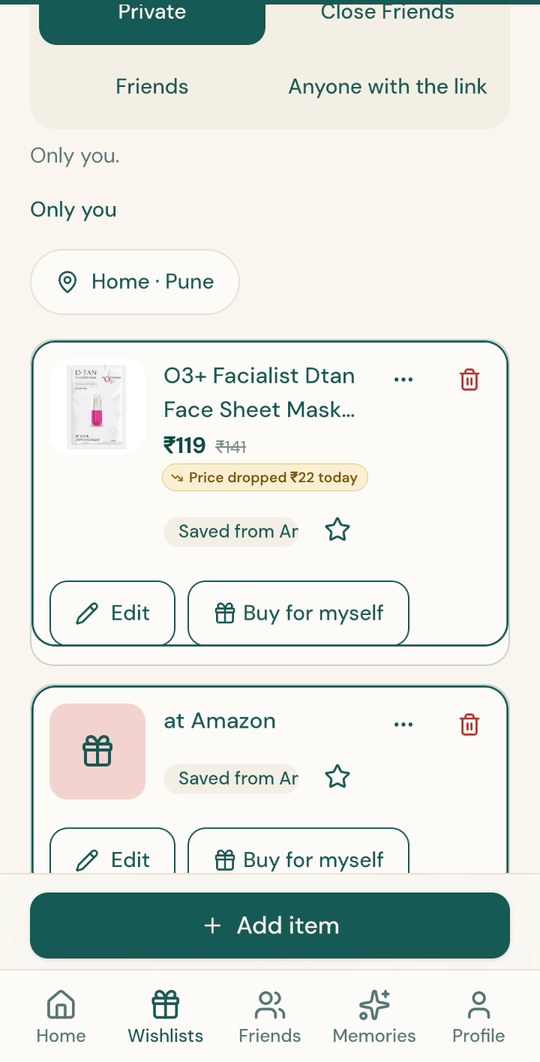
Know when the price is right. Coming soon
Your own consolidated shopping list, everything you've saved from any store in one place. Price alerts are coming soon: we'll keep an eye on what you've saved and nudge you when the price drops, so you save money on the things you'd buy anyway. The list is useful from day one, even if you never share anything with anyone.
Takes away: the fear of overpaying, and the tab you kept open for a sale.
Let your circle in, list by list.
Add friends, your spouse or just the family, with only their mobile number, from your contacts, or with an invite link. Make someone a close friend. Then choose who sees each list: Close friends, Friends, Private, or Anyone with the link. Once someone is in your friends list, they never have to ask you. They can see your living wishlist until you unfriend them. So whenever they want to surprise you, for a big celebration or a small everyday moment, they already know what you'd love.
Takes away: the awkwardness of asking.
They claim a wish. You never find out.
A friend browses your list by budget, taps Gift this, and it's held just for them for 4 hours. They buy it on the store it came from, come back, mark it ordered, write a note and pick why they're sending it. Everyone else sees "Already taken care of".
Takes away: duplicate gifts, and the spoiled surprise.
It arrives. The memory stays.
"A surprise is on its way." When it's in their hands, they reveal who sent it, read the note and send a thank you in one tap. The gift is saved to Memories for both of you.
Takes away: the forgotten "who gave us this?"
Not on the app yet?
They can still surprise you.
Share your list's link on WhatsApp. Anyone you send it to can open it, pick within their budget and send a surprise, without you knowing, even if you're not friends on the app.
If you're making wishes
- Sign in with your mobile number.
- Save a few things you'd love, from any store.
- Choose who can see each list.
- Share the link on WhatsApp, or let it sit until your birthday.
- Feel the warmth when someone's on it. Reveal your surprise when it arrives.
If you're someone's celestial
- Open the link they shared.
- Pick a wish that fits your budget and your heart.
- Reserve it. It's held for you for 4 hours.
- Buy it on the original store and send it to them.
- Write the note that makes it yours.
Opening a shared link from WhatsApp
Behind the scenes
Every wish moves through four moments.
Two people can never claim the same wish. And the person with the wishes never sees the secret until it arrives.
- You see
- Open
- Your celestials see
- Gift this
- You see
- Open, as always, and "Someone's thinking about you"
- The giver sees
- It's yours for the next 4 hours
- Others see
- Already taken care of
- You see
- "A surprise is on its way"
- Others see
- Already taken care of
- You see
- The gift, who sent it, and their note
- Both of you keep
- The memory